About
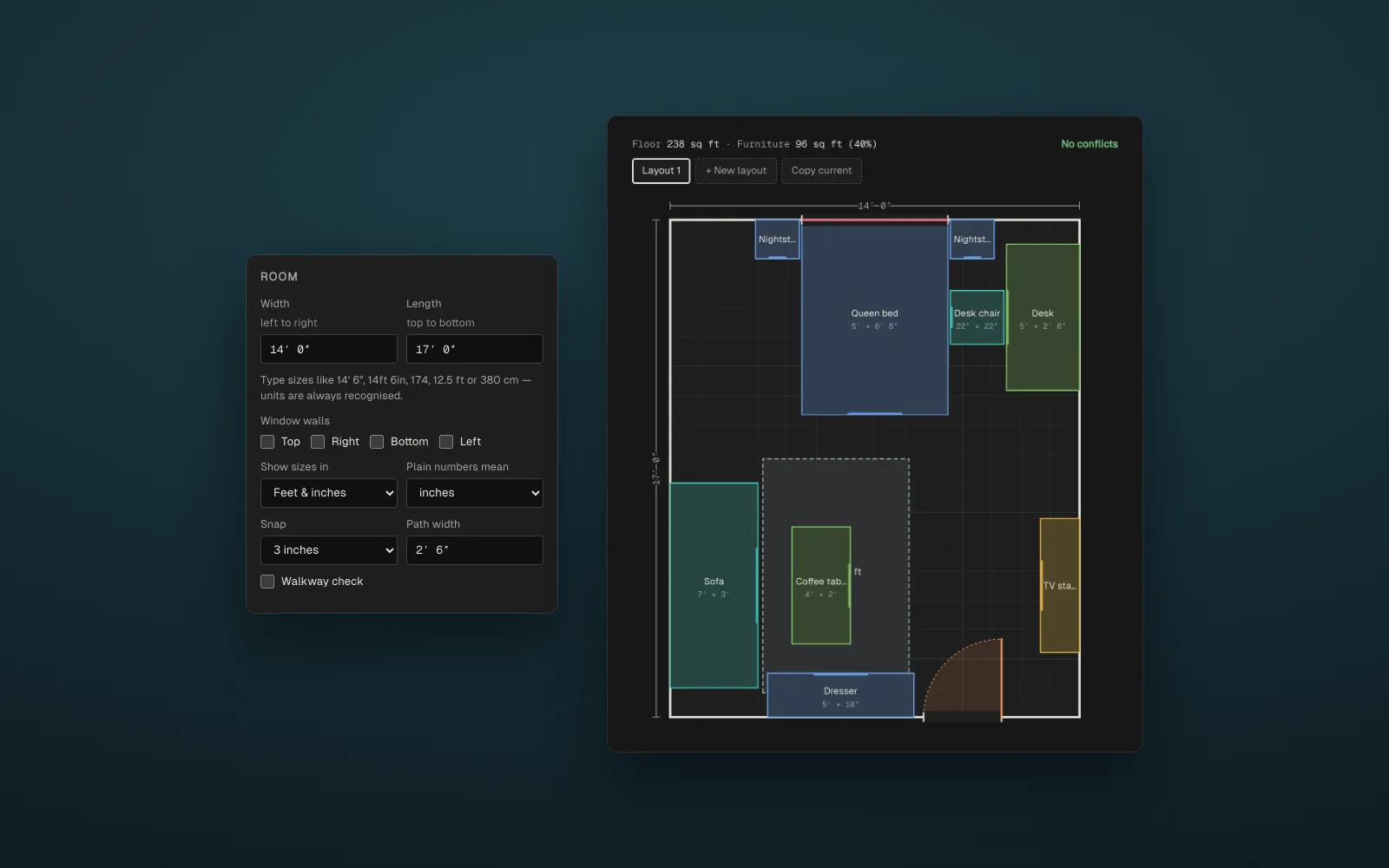
Room Layout Planner is a small tool for working out where furniture goes before you lift any of it. Type in your room’s size, add beds, sofas, desks, doors and windows, and drag them around a to-scale plan. As you go it points out anything that overlaps, sits outside the room, blocks a door’s swing, or leaves a walkway narrower than you’d like.
Everything runs in the browser. Layouts save locally, and a share link carries the whole plan in the URL, so there’s no account or server.
Features
- To-scale plan: sizes can be typed however they come to mind (
14' 6",14ft 6in,174,12.5 ft,380 cm), and shown in feet and inches, inches, centimetres or metres. - Live checks: overlapping furniture, items outside the room, blocked door swings, and walkways under a chosen path width.
- Furniture catalog: preset beds, nightstands, dressers, sofas, tables, desks and appliances, or custom items with any size.
- Doors and windows: they snap to the nearest wall, and a door’s hinge can be flipped.
- Several layouts: tabs for comparing arrangements side by side, with undo and redo.
- Outside areas: sketch the hallway, closet or bathroom next to the room so the plan shows the whole space.
- Share and export: a link that opens the same plan anywhere, plus PDF, PNG and SVG downloads.
How it works
- Plan: a single SVG drawn in room units, so the plan, the hit-testing and the exports all share one coordinate system.
- Walkway check: every piece of furniture gets a translucent amber outline whose stroke is as wide as the chosen path. Half of it reaches out from each edge, so two outlines only overlap where the gap is narrower than the path, and the doubled-up amber marks the squeeze. No geometry is computed; the drawing does the work.
- Share links: the layout is packed into compact JSON and base64url-encoded into the URL hash, so it never reaches a server.
- Exports: the PDF writer is hand-rolled, with no libraries. The plan’s styles are inlined into a copy of the SVG, which is rasterised onto a canvas for PNG and embedded as an image in a one-page PDF.
Technology Stack
- Frontend: plain HTML, CSS and JavaScript, with no framework and no build step
- Rendering: SVG
- Storage:
localStorageand the URL hash
Try It Out
Open the planner and start with the example studio, or enter your own room. A standalone copy lives in the GitHub repo.